
Business Messaging

Business Messaging.Text Your Customers.

SMS, MMS and web chat.

Text customers from the business number they already know, in one shared inbox.

Connect with us

Every weekday, our network carries

~1.8 million
calls
~3.9 million
minutes of conversation
~21
calls connecting every second

Across 400+ communities in Canada · Iristel network data

Works with

Overview

What is Iristel Smarter Messaging?

Smarter Messaging adds two-way SMS and MMS to your existing business phone numbers. Your team texts customers from Microsoft Teams, Webex, Zoom or the web app, with shared inboxes, CRM sync and 10DLC compliance built in. Need after-hours coverage? Add an AI agent as an optional extra.

Get a Demo

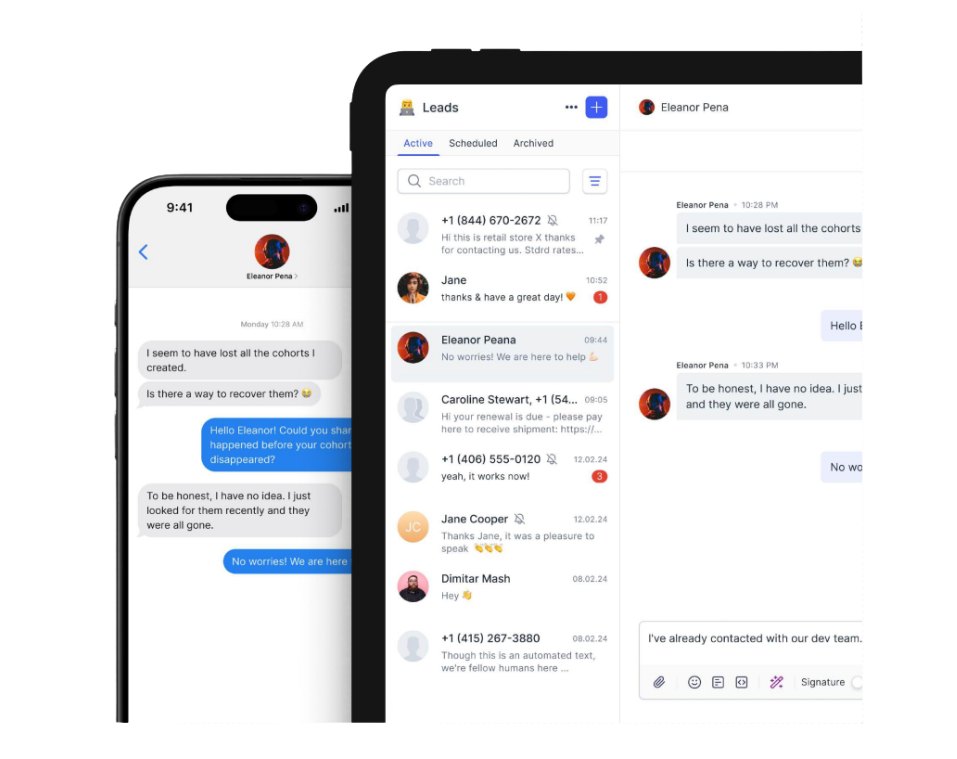
Smartphone with a two-way business text conversation, chat bubbles and MMS picture cards linked to a shared inbox: Iristel Smarter Messaging
98%

SMS open rate compared to just 20% for email. Reach your customers where they actually look.

Benefits

Why choose Iristel Smarter Messaging for your business?

Fast Setup, Be up and running in under a day

Cost Effective, No big-budget required. All-in-one value

No Code Automation, Set it and forget it with zero technical lift

Multi-Channel Messaging, SMS, web chat, and more in one dashboard
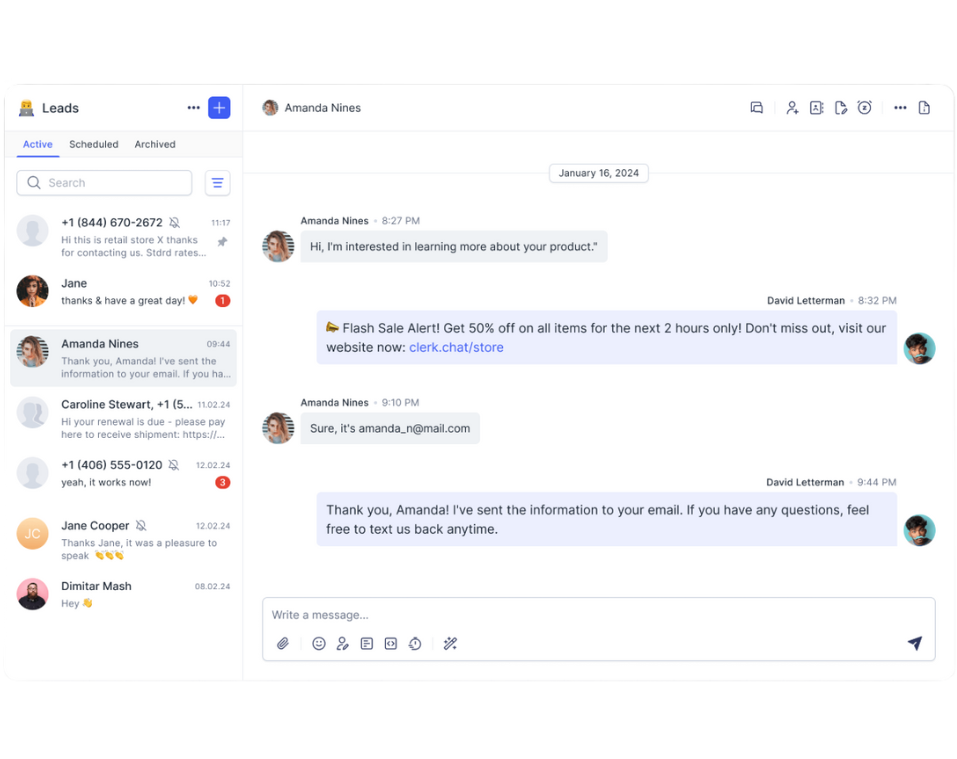
Smarter Messaging inbox showing business text conversations
One shared inbox for every customer text
Smarter Messaging conversation view on a business number
Reply from your business number, anywhere

How it works

How does Iristel Smarter Messaging work?

Business texting on the number you already have, in three simple steps.

Step 1

Customers Text Your Business Number

Customers text the same number they already call — no new number or app needed.

Step 2

Your Team Replies from Teams, Webex or Zoom

Shared inboxes route each conversation to the right person. Optional: add an AI agent to answer common questions after hours.

Step 3

Every Conversation Is Logged

Messages sync to your CRM for follow-up, compliance and team visibility.

By industry

What results do businesses get with Smarter Messaging?

Retailers

Send back-in-stock alerts with purchase links. Boost sales with exclusive SMS deals and flash promotions.

Clinics

Automate appointment reminders and follow-ups. Reduce no-shows by 35% with SMS confirmations and easy rescheduling.

Real Estate

Qualify leads by SMS with budget and timeline questions. Personalize follow-ups for faster conversions.

Consultants

Let AI answer basic client FAQs in real-time. Free up your time while keeping customers engaged.

Integrations

What integrations does Smarter Messaging support?

Connect Smarter Messaging with the tools your team already uses.

Salesforce

Sync conversations and contacts directly with your Salesforce CRM for a complete customer view.

HubSpot

Trigger SMS workflows from HubSpot automations and log every interaction automatically.

Microsoft Teams

Manage customer messaging from within Teams alongside your internal collaboration.

Shopify

Send order updates, shipping notifications, and promotions to your e-commerce customers.

Zoom

Schedule and confirm meetings via SMS and integrate with your video conferencing workflow.

API and Webhooks

Build custom integrations with our REST API and real-time webhook events.

“Clerk Chat saved us hours each week and helped our customers get answers faster. It’s like having a full-time support team — without hiring.”

Jasmine C. | Clinic Owner

Shared team inbox

How does a shared inbox get each customer text to the right person?

With Business Messaging, texts to your business number land in one inbox that your whole team can see. Rules decide who handles each conversation, and every reply goes out from the same business number.

SMS, MMS and web chat arrive in one shared inbox, rules assign each conversation to a teammate in Microsoft Teams, Webex, Zoom or the web app, conversations sync to the CRM, and STOP replies go to the opt-out list.SMSMMSWeb chatShared inboxKeywordsAssignmentOut of officeOptional AI agent after hoursMicrosoft TeamsTeammate repliesWebexTeammate repliesZoom or web appTeammate repliesSynced to your CRMEvery conversation is loggedOpt-out listShared inbox routing shown top to bottom: channels, shared inbox with rules, teammates, CRM log and opt-out list.Optional AI agent after hoursSMSMMSWeb chatShared inboxKeywordsAssignmentOut of officeMicrosoft TeamsTeammate repliesWebexTeammate repliesZoom or web appTeammate repliesSynced to your CRMEvery conversation is loggedOpt-out listSTOP replies honoured
  • Customer messages, routed to a teammate
  • Opt-out request (STOP)
  • Conversation logged to your CRM
  1. Every channel lands in one place

    SMS, MMS and web chat arrive in the same shared inbox. Customers text the number they already call, so no new number or app is needed.

  2. Rules route and assign

    Each conversation is assigned to the right teammate, so every customer has a clear owner. Keyword rules send instant replies to common requests, and an out-of-office rule answers when you are away.

  3. Reply from the tools you use

    Your team answers from Microsoft Teams, Webex, Zoom or the web app. The customer sees one business number, whoever replies. Need cover outside business hours? An AI agent is available as an optional extra.

  4. Log it and stay compliant

    Messages sync to your CRM for follow-up and team visibility. Opt-in and opt-out rules keep your contact list clean, and the service is compliant with 10DLC registration requirements, carrier guidelines and applicable Canadian and U.S. messaging regulations.

Shared inbox or a single phone?

Texting from one phoneBusiness Messaging shared inbox
Who sees messagesTexting from one phoneOnly the person holding the phoneBusiness Messaging shared inboxEveryone on the team, with clear assignment
DevicesTexting from one phoneOne deviceBusiness Messaging shared inboxSeveral devices: Teams, Webex, Zoom or web app
ContentTexting from one phoneBasic textBusiness Messaging shared inboxSMS, MMS and web chat
RecordsTexting from one phoneStay on the phoneBusiness Messaging shared inboxSynced to your CRM
ComplianceTexting from one phoneManaged by handBusiness Messaging shared inbox10DLC-compliant, with opt-in and opt-out rules
Smarter Messaging - FAQ
Common questions about Iristel Smarter Messaging powered by Clerk Chat
What is Smarter Messaging?▼
Smarter Messaging is Iristel’s enhanced business messaging solution, powered by Clerk Chat. It enables you to send and receive text messages from your business numbers, manage conversations across multiple channels, and integrate with your CRM or workflow tools for better customer engagement.
Which numbers can I use with Smarter Messaging?▼
Smarter Messaging works with most Iristel-provided numbers, including local numbers, toll-free numbers, and mobile numbers. In many cases, we can also enable messaging on existing numbers you already own.
Can I keep my existing phone service?▼
Yes. Smarter Messaging adds text and multimedia messaging capabilities to your existing number without disrupting your current voice service.
Does Smarter Messaging support MMS?▼
Yes. You can send and receive multimedia messages, including images, videos, PDFs, and other supported file types, depending on the recipient’s carrier and device capabilities.
Is Smarter Messaging compliant with 10DLC and carrier regulations?▼
Absolutely. Smarter Messaging is fully compliant with 10DLC registration requirements, carrier guidelines, and applicable Canadian and U.S. messaging regulations to help ensure reliable message delivery.
Can multiple team members use Smarter Messaging?▼
Yes. Smarter Messaging supports shared inboxes, so multiple team members can collaborate on incoming messages, assign conversations, and respond faster.
Can I integrate Smarter Messaging with my CRM or other tools?▼
Yes. Smarter Messaging offers integrations with popular platforms such as HubSpot, Salesforce, and other productivity tools to streamline workflows and centralize communications.
How is Smarter Messaging different from regular SMS?▼
Traditional SMS is limited to basic text on a single device. Smarter Messaging allows you to manage messages from multiple devices, send MMS, integrate with your business systems, and work collaboratively with your team.
How do I get started?▼
Contact Iristel’s sales team to enable Smarter Messaging on your number. Once activated, we’ll send you login details and onboarding resources so you can start messaging right away.

Ready to Get Started?